Windows TeslaCam viewer

TESLA Cam

Review a full drive as one exact-timed virtual continuous multi-camera session with synchronized playback, embedded telemetry, FSD and manual-driving context, marker-based export, and a free core app that does not watermark your exports.

6 cameras front, rear, repeaters, pillars
Telemetry Index FSD %, speed, GPS, steering
Manual Ranges yellow timeline bands
Free core app no ads, no export watermarks

Built For Drive Review

TESLA Cam focuses on the repetitive work of reviewing long TeslaCam drives: find the clip, keep the camera angles together, see FSD and manual-driving context, verify telemetry, and export only what matters.

Playback

Exact-Timed Drive Sessions

Groups TeslaCam files into full drive sessions using MP4 sample and edit table timing, starts playback immediately on the raw timeline, and uses cached stitched camera files when they are available for smoother long-drive review.

Camera Layout

Multi-View Review

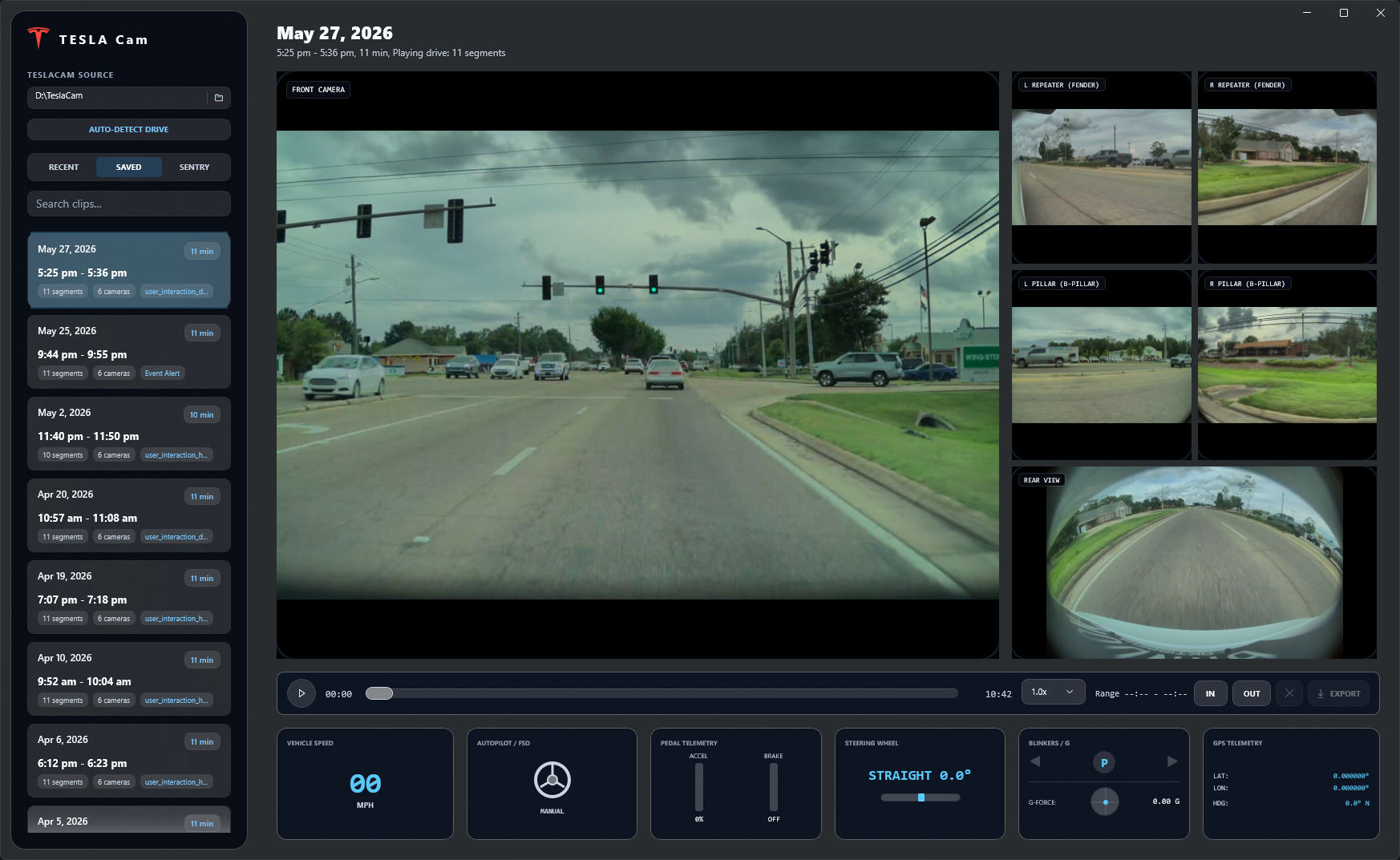
Show front, rear, repeater, and pillar views together in a dark translucent interface, with quick camera swapping for closer inspection.

Telemetry

Embedded Data HUD

Displays speed, left/right steering, gear, pedals, blinkers, GPS, heading, g-force, and autonomy state when metadata is present.

Export

Markers And Validation

Add IN and OUT markers, export the current camera or all views, and validate telemetry preservation after export.

Timeline

Manual-Driving Ranges

Yellow bands on the scrubber show the exact sections where the drive is manual instead of FSD.

Clip Library

Fast Browsing

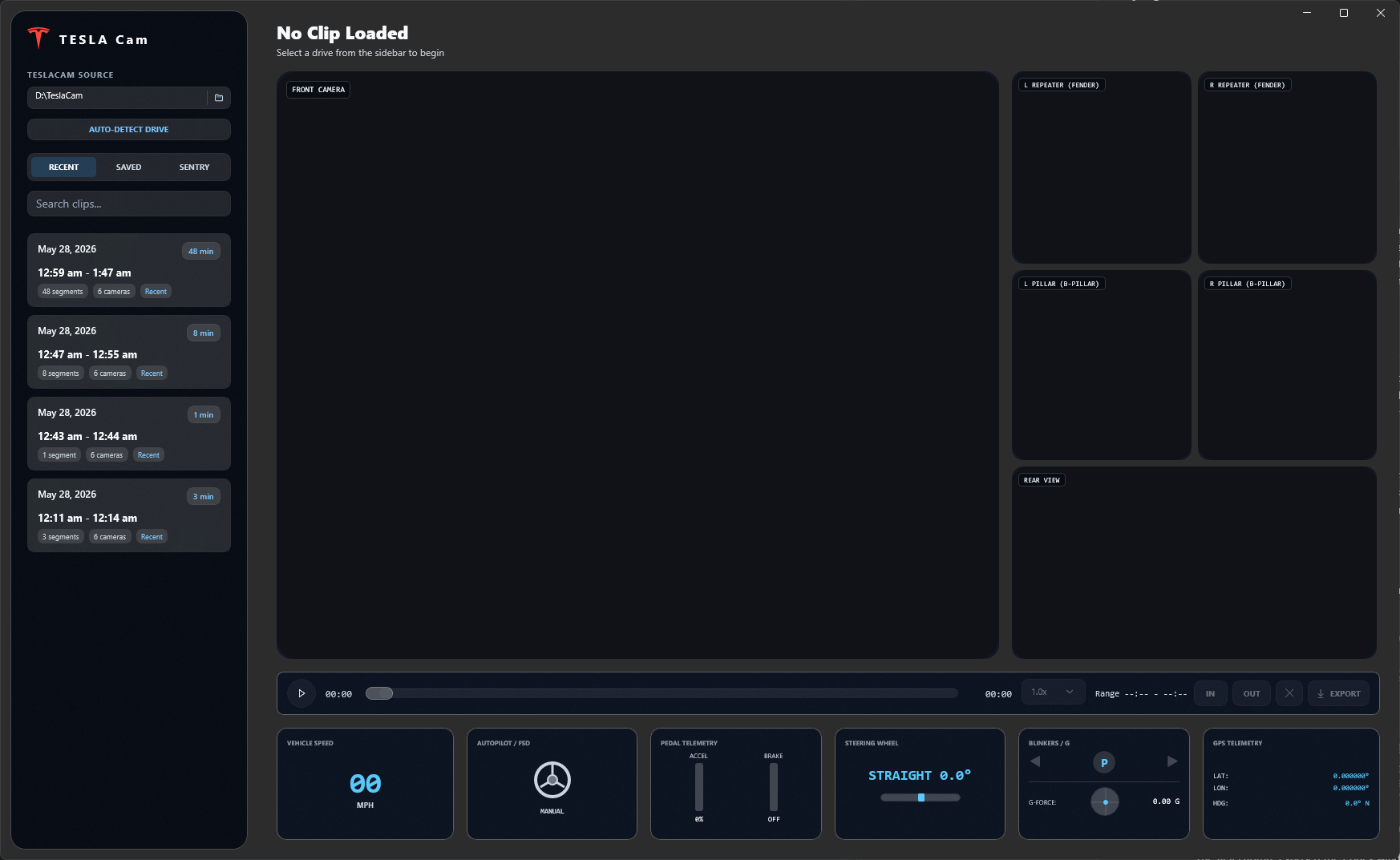
Use a virtualized clip list, selected-clip styling, FSD percentage pills, disengagement counts, and a resizable collage view with first-frame thumbnails.

Indexing

Background Status

Telemetry summaries are indexed in the background, cached locally for faster repeat scans, and aligned with exact per-camera MP4 durations.

Sources

Drive Or Archive

Open a mounted TeslaCam storage device, a copied TeslaCam folder, or a supported ZIP archive such as an exported all-views package.

Roadmap

Visual Context

Planned visual context will add clip photos or gallery browsing and optional telemetry overlays without covering video by default.
Real App Screenshots

These captures come from the current WinUI app running against real TeslaCam footage, with the app window isolated for the public site.

TESLA Cam playback dashboard showing daytime TeslaCam footage and telemetry cards
Virtual playback dashboard Daytime footage
TESLA Cam drive library showing detected TeslaCam clips
Drive library and clip list Mounted drive

Download Windows Installer

Download the current Windows preview directly from this page. The recommended setup path is one download and one run: no Visual Studio, build tools, Git clone, command line, or manual extraction required. Early GitHub builds are unsigned, so Windows may show an unknown-publisher warning until Store distribution or code signing is ready.

Recommended

One-Click Windows Setup

Download the setup executable, run it, and TESLA Cam installs under your user profile with Start Menu and desktop shortcuts. If the setup registers an uninstall entry, remove it later from Windows Settings > Apps.

Portable

Manual ZIP Install

Use the x64 portable package if you prefer manual extraction or want to keep the preview app in a custom folder.

Command Line

Script And WinGet Path

The PowerShell scripts remain available for fallback install and full local cleanup, including generated stitch/export artifacts, archive imports, thumbnails, and telemetry summary cache. WinGet is planned after the package name, signed installer, and release identity are stable.

Free Core Viewer

The local TeslaCam viewer is intended to stay useful without a subscription. Paid features should be optional and clearly separated from the core review workflow.

Free To Use

Drive scanning, source watching, multi-camera playback, telemetry review, manual-driving timeline ranges, collage browsing, and core export tools are planned as free app capabilities.

No Forced Branding

The free version should not add ads, promotional overlays, watermarks, or forced branding to your clips or exports.

Optional Subscription

A future subscription may add cloud-based visual context for devices without suitable GPU or NPU hardware, richer search, and Tesla API powered features.

Donations Welcome

Optional Cash App support helps fund development, hosting, signing, testing, and upkeep. Support is not required for the free core viewer.

What Comes Next

The public repository is the working project. The final published app name, production logo, Store identity, and macOS plan are tracked separately from the current preview branding.

Final Branding

Choose the published app name, logo system, and Store-ready artwork.

Microsoft Store

Finalize Partner Center identity, package signing, listing copy, and certification checks.

macOS

Plan a native Mac version after Windows playback, import, telemetry, and export workflows stabilize.

Visual Context

Add searchable clip photos, gallery-style review, and visual context indexing for capable GPU or NPU hardware, with optional cloud-assisted context as an opt-in subscription feature.

This project is not affiliated with, endorsed by, or sponsored by Tesla, Inc. Tesla and related vehicle names are trademarks of their respective owners. The repository is source-available for personal, non-commercial use. Cash App support, donations, and any future subscription are optional support paths, not requirements for the core free viewer.